
Billing and QR ordering
Every plan bills, takes QR orders and runs the kitchen screen.
Plans · Clear prices
No “price on request”. Every DotMax plan is shown here, monthly or yearly, with the one-time setup and exactly what is included. Every plan starts with a free trial.
Free trial Works on any device Setup and training included
Every plan bills, takes QR orders and runs the kitchen screen.
We enter your menu and tables, print your QR codes and train your staff.
Phones, tablets and computers you already have.
Backed up every night, encrypted and stored off-site.
Try your plan before you pay.
New features switch on the same day; your data stays as it is.
Start where you are; change later.
Use it in your restaurant first.
Yearly saves about two months.
Every plan starts with a free trial.
For cafés and small restaurants
LKR 12,900 /month
or LKR 129,000 a year
For busy restaurants that want control of stock and repeat guests
LKR 24,900 /month
or LKR 249,000 a year
For groups and chains with two or more branches
LKR 31,900 /month
or LKR 319,000 a year · setup LKR 100,000
| Feature | Starter | Growth | Enterprise |
|---|---|---|---|
| Overview | |||
| DashboardThe home screen: takings, orders and alerts for the period. | |||
| Things to doInstructions the owner has left for this location. | — | ||
| AnalyticsTrends, peak hours and staff performance. | — | ||
| Delivery DeskHanding ready deliveries over at the door, against the customer’s PIN. | — | ||
| ApprovalsRequests waiting on somebody senior — refunds, discounts, adjustments. | — | ||
| Cash drawerOpening float, cash in and out, and the close-of-shift count. | — | ||
| AgentThe in-app assistant: answers questions about the system and its reports, by voice or text. | — | — | |
| LocationsBranches, warehouses and production houses. | — | ||
| Stock transfersMoving stock between locations. | — | ||
| ProductionMaking prepared items — sauces, pastes, dough — out of stock. | — | ||
| ShiftYour shift, your handover, and the histories of both. | — | ||
| Live floorTables, waiting times and who is sitting at them, as it happens. | — | ||
| Operations | |||
| OrdersEvery order taken, at the table, counter or QR code. | |||
| TablesThe floor plan and each table’s status. | |||
| ReservationsBookings and the guests expected. | |||
| Kitchen displayThe rail the kitchen cooks from. | |||
| Kitchen sectionsThe sections a kitchen is divided into — rice range, pizza oven, juice bar — and which dishes each one cooks. | — | ||
| Waiter stationWhat is ready to run, and guest requests. | |||
| Payments & tillTaking money, settling bills and refunds. | |||
| Online paymentsPayment by QR code or link, at the till and from the guest’s own phone. | — | ||
| Menu | |||
| MenuDishes, prices and availability. | |||
| Add-onsExtras offered with a dish — extra cheese, a side — each with its own price and stock item. | — | ||
| RecipesWhat each dish is made of — the link between sales and stock. | — | ||
| LoyaltyPoints guests earn and spend. | — | ||
| Guest agentA 3D helper on the QR menu that guests ask about your dishes — by typing and quick buttons, and by voice with the Agent. | — | ||
| OffersOffers and discount codes, applied by themselves at the QR menu and the till, and sent by SMS. | — | ||
| Inventory | |||
| InventoryStock levels, items and the ledger behind them. | |||
| Stock countsCounting the shelf and reconciling it with the book. | — | ||
| Stock adjustmentsCorrections to a counted balance. Raised here; applied when signed off. | |||
| WastageStock thrown away, and why. | |||
| ExpiryWhat is about to go out of date. | |||
| Units & categoriesThe measures and groupings stock is kept in. | — | ||
| SuppliersWho the restaurant buys from. | — | ||
| PurchasingOrdering stock and receiving it. | |||
| People | |||
| CustomersGuests, their history and loyalty points. | |||
| Customer insightsWho returns, who spends and who has stopped coming. | — | ||
| StaffThe team, their roles, their hours and their sign-in codes. | |||
| Custom rolesBuilding your own roles, switch by switch, beyond the built-in ones. | — | — | |
| ShiftsShift templates, the rota, and the shift and handover histories (shifthandover.md). | — | ||
| ReviewsWhat guests said publicly. | — | ||
| FeedbackWhat guests said privately. | |||
| Financial Control | |||
| Daily Financial ControlMoney Guard: the whole day on one page — sales, money received, money out, the cash drawer expected against counted, everything that needs review, and every figure traced to its record. | — | — | |
| Accounting | |||
| Payment detailsThe internal accounts money is held in — balances, deposits, and transfers between them. Also where bank transfers guests declare are confirmed. | — | — | |
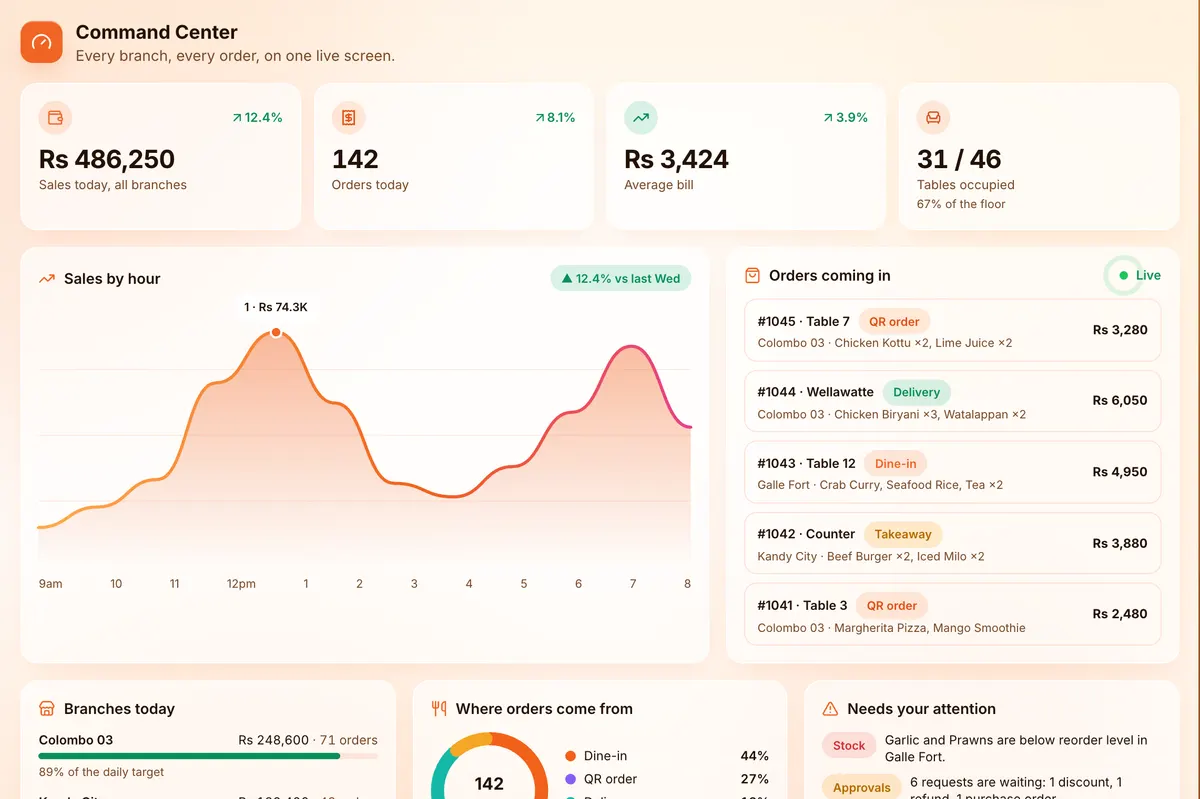
| Accounting dashboardThe financial summary: sales, collections, payables, expenses, profit — every card drillable. Also the owner’s Command Center: health score, alerts, menu, stock outlook and waste. | — | — | |
| Payments outDrafting, submitting and executing supplier settlements and expenses. | — | — | |
| Payment approvalsThe owner signs off money leaving the business. | — | — | |
| ExpensesFormal business costs by category — rent, utilities, salaries. | — | — | |
| Supplier payablesStatements and aging: what is owed, to whom, for how long. | — | — | |
| Checks & reconciliationThe money identities, per-bill payment checks, bank matching and the issues list. | — | — | |
| Close monthThe month-end checklist, and sealing the month once it is clear. | — | — | |
| LedgerJournal, trial balance, cash book and financial position — derived, read-only. | — | — | |
| Accounting reportsThe P&L, menu profitability, period comparison and every other report. | — | — | |
| Accounting toolsThe calculator and what-if simulator — nothing here writes a record. | — | — | |
| Back office | |||
| ReportsThe reports hub and exporting any of them. | |||
| Sales reportTakings by day, hour, item and payment method. | |||
| Gross profitRevenue against what the food cost. | — | ||
| Inventory reportStock value, movement and wastage, with the drill-downs behind each figure. | |||
| Purchasing reportSpend, deliveries and what is owed. | |||
| Stock varianceWhere counted stock disagrees with the ledger. | — | ||
| ReconciliationProving the stock ledger adds up. | — | ||
| Daily close & periodsSigning off business days and sealing accounting periods. | — | ||
| Cash reportsDrawer sessions, variances and the petty cash ledger. | |||
| QR codesThe codes guests scan at the table, and what they see when they do. | |||
| Audit logWho did what, and when. | — | — | |
| SettingsRestaurant details, tax, currency and printing. | |||
DotMax plans are Starter LKR 12,900, Growth LKR 24,900 and Enterprise LKR 31,900 a month, plus a one-time setup. Paying yearly saves about two months.
Yes. Every plan starts with a free trial.
Entering your menu and tables, printing your table QR codes, training your staff and being with you on your first day.
Yes. Upgrade any time and the new features switch on the same day. Your data stays exactly as it is.
Book a free demo and we will set DotMax up with your dishes, your tables and your branches, so you can see exactly how it fits your restaurant.
Book a free demo